What's new

Playing on Mac

MysticStar

New Member
Joined
Mar 11, 2017
Messages
6
Reaction score
0
Points
1
Location
Earth
Hey guys,

Prospective player here. I used to play TOP for years and would like to return to this.

Anyway, I have a MacBook and cannot afford to buy a PC as well. My plan is to partition my hard drive, install Windows 7 on the partition, and try to run the client. Does anyone have experience with this? Are there any additional drivers I would need that you know of? Just want to expedite the process. Also, if anyone has tried this and it doesn't work for whatever reason, it would be great not to waste my time and just save up for a PC.

Thanks ^-^
 
I use Mac. And can tell, That recent releases improved compatibility with Wine.
All you have to do is:
https://www.playonmac.com/en/
Install it's dependencies.
Use Wine 2.1 + dotnet35 + dotnet35sp1 + msvc80 + tahome + tahoma2 + d3dx9
It will work pretty good. Except for some small problems with Shaders.

On the other hand. Best is to use so called "Boot Camp".
So it partition drive and install Windows there for you from .iso. And also integrates all the Apple drives your laptop needs.
Windows on MacBook have own problems. Like keyboard backlight, and screen dim, and smaller battery life.
 
Thanks for such a quick reply!

I would prefer not to partition my drive. So, if that solution works pretty well, I will try that first.

I will let you know if I run into any issues. Thanks again!
 
Thanks for such a quick reply!
I would prefer not to partition my drive. So, if that solution works pretty well, I will try that first.
I will let you know if I run into any issues. Thanks again!
Each has own failures.
Sometimes Game does not start under Wine because of Wine imperfect emulation of Windows API.
Have to stop all Wine instances, and run again.
It's pretty uncomfortable, when trying to load multiple Game instances.

On the other hand. Windows run smooth as native.
But have small incompatibilities with Apple hardware.
 
Do I want to use CrossOver?

Having trouble finding which Wine package to download.
 
Which file is supposed to be the one that starts the game?

"PirateKingOnlineLauncher.exe"? When I try to run that, it doesn't open anything. =_='
 
Which file is supposed to be the one that starts the game?

"PirateKingOnlineLauncher.exe"? When I try to run that, it doesn't open anything. =_='
Most likely you have something that is filtering/blocking it. Uninstall your anti-virus.

Your post indicates you are having intermediate problems with launching client. Our launcher is heavily customized, It is very diligent as it performs many critical functions that invokes proper playing condition.

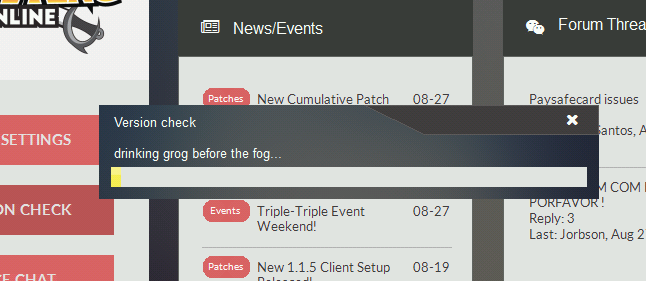
The very first thing you should do is try by doing a 'Version Check' this will ensure your launcher and client are the latest available offering, as older ones may not function properly or do not have capabilities to play.

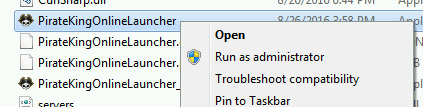
1. Locate PirateKingOnlineLauncher.exe and execute as Administrator. Right-Click on PirateKingOnlineLauncher.exe and click "Run as Administrator". PirateKingOnlineLauncher.exe is located in main client folder, or you may have a short cut to PirateKingOnlineLauncher.exe on desktop.

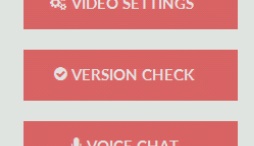
2. After the client launcher is launched, Begin Version Check by clicking on button at top left corner, Where a drop menu will appear with choice of "Version Check" in the top of list.

3. The launcher will automatically quickly scan your client files and begin to download any missing or malformed client files.


At this point, If you are still unable to play, It means that you have a service or program that is actively blocking the connection such as firewall or anti-virus.

1. Unfortunately because there is too many anti-virus and firewall solutions there is no easy way of turning them off, You will need to contact your antivirus/firewall company to ask them how to remove/stop.

2. In very rare condition, You may have a ISP that does internet filtering which means you most likely cannot play because ISP do not remove or allow you to circumvent this filtering.
 
Firewall is off.

I have a Mac, never installed any anti-virus.

I get a pop up that says "Can't launch more then one copy of launcher!"

So, something is running but I can't see it. It's strange.
 
Oh. Mac is not supported. sorry.
 
T
Firewall is off.

I have a Mac, never installed any anti-virus.

I get a pop up that says "Can't launch more then one copy of launcher!"

So, something is running but I can't see it. It's strange.
Try wine instead. Im able to log in mine. But problem is every time you log in and get a message like incorrect pw or account is still on... you cant anymore relog in. You have to close again and then open another launcher.
 
Top