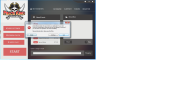
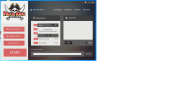
As we always strive to improve our launcher but sometime mistakes happen, Some of you may have bugged or abnormal launcher, which would require manually fixing. Our last update we tried to make the launcher exit to system task bar icon, unfortunately it did not always behaved that way. We decided to remove it and change some things about launcher. If you are unable to update, try restarting your computer. However if you are still struggling please follow the steps below to fix launcher.
One-time manual for fix PKO launcher
1) Run your launcher.
2) Wait while launcher finish loading any updates.
3) If launcher shows any error, Click on Version Check button.
4) Close the launcher, Do not start the client.
5) Make sure you don't have launcher minimized by checking system tray icon for PKO icon, If you do see it, Click on it and exit the launcher.
6) Restart your launcher, It should be on the latest version now.
There will be game client installer version 1.1.1 later today that resolves and fixes all of problems if you cannot fix yourself.
One-time manual for fix PKO launcher
1) Run your launcher.
2) Wait while launcher finish loading any updates.
3) If launcher shows any error, Click on Version Check button.
4) Close the launcher, Do not start the client.
5) Make sure you don't have launcher minimized by checking system tray icon for PKO icon, If you do see it, Click on it and exit the launcher.
6) Restart your launcher, It should be on the latest version now.
There will be game client installer version 1.1.1 later today that resolves and fixes all of problems if you cannot fix yourself.