What's new

game client does not advance

mikepooh

New Member
Joined
Nov 16, 2017
Messages
10
Reaction score
0
Points
1
Age
29
that thing already has like an hour like that
https://imgur.com/a/b0ATJ
b0ATJ
 
Your post indicates you are having intermediate problems with launching client. Our launcher is heavily customized, It is very diligent as it performs many critical functions that invokes proper playing condition.

The very first thing you should do is try by doing a 'Version Check' this will ensure your launcher and client are the latest available offering, as older ones may not function properly or do not have capabilities to play.

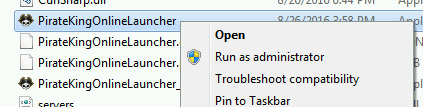
1. Locate PirateKingOnlineLauncher.exe and execute as Administrator. Right-Click on PirateKingOnlineLauncher.exe and click "Run as Administrator". PirateKingOnlineLauncher.exe is located in main client folder, or you may have a short cut to PirateKingOnlineLauncher.exe on desktop.

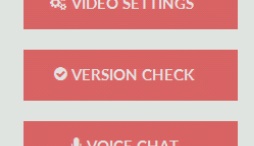
2. After the client launcher is launched, Begin Version Check by clicking on button at top left corner, Where a drop menu will appear with choice of "Version Check" in the top of list.

3. The launcher will automatically quickly scan your client files and begin to download any missing or malformed client files.


At this point, If you are still unable to play, It means that you have a service or program that is actively blocking the connection such as firewall or anti-virus.

1. Unfortunately because there is too many anti-virus and firewall solutions there is no easy way of turning them off, You will need to contact your antivirus/firewall company to ask them how to remove/stop.

2. In very rare condition, You may have a ISP that does internet filtering which means you most likely cannot play because ISP do not remove or allow you to circumvent this filtering.
 
hi, I followed all the steps mentioned above

but now I get this

i dont have anti-virus and i desactivate the firewall..

QMcAhjT.png
 
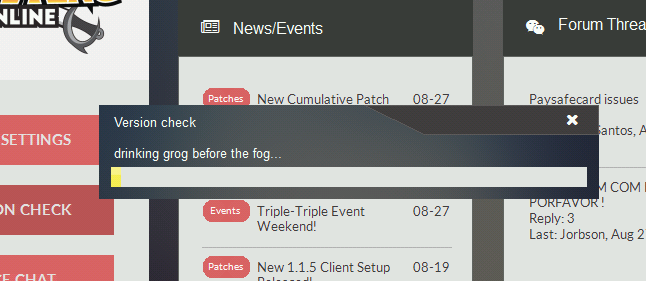
every time I click on version check, I get that.

YLCqTes.png


then that is removed and lets me click on star

hBTzJ2C.png


but it does not connect

QMcAhjT.png
 
You have signs that points to poor internet connectivity, not only that, possibly some kind of anti-virus and/or corporate firewall blocking.

In general, you need to use better internet, if you cannot change internet, you can consider using VPN/proxies, but those are not very simple and not always cheap. Your best solution would to try remove/uninstall any anti-virus or "protective" compartments, and run the client.

Do you know how to perform a ping test?
 
ijVMCRL.png


but I do not understand. my internet is 10 mb (1024 kb / s) and I do not have any antivirus installed, and I disable the windows firewall
 
Corporate firewall also exists, those things you cannot disable from your PC.

Once again, I recommend you to try using other internet OR pc to see which is causing problems.

You didn't answer my last question: do you know how to perform a ping test?
 
Great, there's no packet losses, then this means most likely your PC has problem. Your internet looks normal, however there could be still internet problems, but right now, I need you to try on other PC and see if you are experiencing same problems.
 
hello, the problem was solved, I enter today normally, without me making any kind of change.
 
That's great to know. Enjoy Pirate King Online!
 
Top