What's new

Version Mismatch

nehpetsznaj

Squid Slayer
Joined
Aug 8, 2016
Messages
53
Reaction score
9
Points
8
Anyone have this kind of problem? its been like this since last week on me.. I can't play now because its does like it when i open launcher all over.
 

Attachments

  • asdasdadad.png
    asdasdadad.png
    351 KB · Views: 272
Your post indicates you are having intermediate problems with launching client. Our launcher is heavily customized, It is very diligent as it performs many critical functions that invokes proper playing condition.

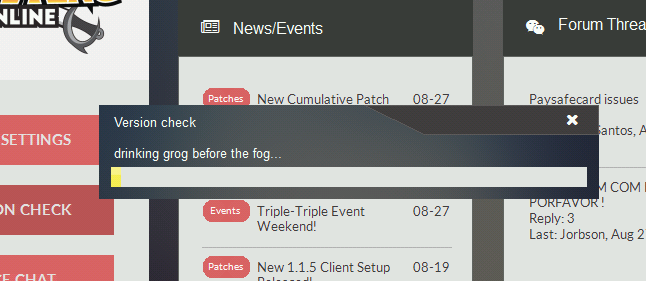
The very first thing you should do is try by doing a 'Version Check' this will ensure your launcher and client are the latest available offering, as older ones may not function properly or do not have capabilities to play.

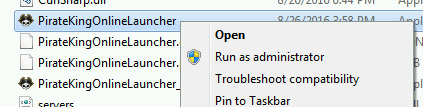
1. Locate PirateKingOnlineLauncher.exe and execute as Administrator. Right-Click on PirateKingOnlineLauncher.exe and click "Run as Administrator". PirateKingOnlineLauncher.exe is located in main client folder, or you may have a short cut to PirateKingOnlineLauncher.exe on desktop.

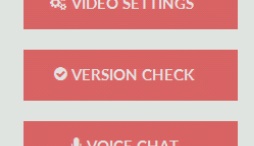
2. After the client launcher is launched, Begin Version Check by clicking on button at top left corner, Where a drop menu will appear with choice of "Version Check" in the top of list.

3. The launcher will automatically quickly scan your client files and begin to download any missing or malformed client files.


At this point, If you are still unable to play, It means that you have a service or program that is actively blocking the connection such as firewall or anti-virus.

1. Unfortunately because there is too many anti-virus and firewall solutions there is no easy way of turning them off, You will need to contact your antivirus/firewall company to ask them how to remove/stop.

2. In very rare condition, You may have a ISP that does internet filtering which means you most likely cannot play because ISP do not remove or allow you to circumvent this filtering.
 
Anyone have this kind of problem? its been like this since last week on me.. I can't play now because its does like it when i open launcher all over.

why dont you try re-downloading the client? that is what has worked for most people with the same problem. and well.. the client isnt exactly heavy after all.
 
The user was already determined, long before I had opportunity to personally engage within. I would prefer to use my time on those reasonable people, instead of arrogant and impatient players. =)
 
well i have a problem with one pc and windows xp. but y copy the update files in a usb stick and update manually.

sorry i dont speak english.
605HWh
 
Last edited:
este... y cual es el problema exactamente?
en windows xp al parecer no baja la actualizacion. me tocaba copiar la carpeta completa del pko de mi pc principal con windows 10.
ahora solo ordeno los archivos modificados... porque tarda mas copiar y sobreescribir que actualizar por el medio del laucher. :(
 
i always get this too but instead of complaining i always re install it and see back to game again... hihihi its just a matter of understanding... nothing is perfect so its for you to figure it out with the help rom them itll be great.. and furthermore i dont wanna quit cause i made friends here who are really cool and kind so i would stick to it ... :) ;);):)
 
Make a 2nd copy of working pko file. When this trouble happen, just delete the corrupt file and copy paste...it can be faster bcz the new patch/setup dont have the updated file (etc .lgo file)
 
Top