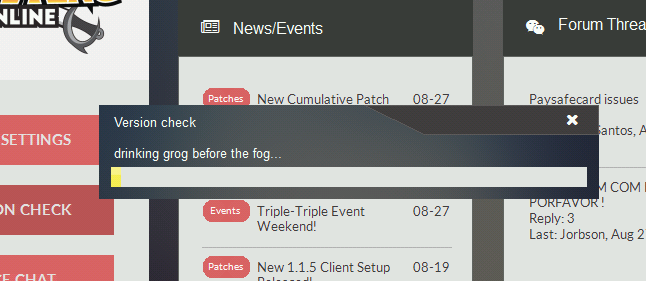
Hi, I downloaded the client fresh from the site (1.2.9). When I launched it I clicked on version check, it said version mismatch, fetching info followed by this error message after 15 minutes of no progress:
"Error updating client, please report this to the support team with this log file"
The log file is below - can anyone help figure out the problem?
Thanks
Log File:
[22/01/2018 00:13:47] :: Void Fill() threw an unhandled exception: Unexpected EOF => at ICSharpCode.SharpZipLib.Zip.Compression.Streams.InflaterInputStream.Fill() in d:\Programming\piratekingonline-launcher\PirateKingOnlineLauncher\Helpers\GZip\InflaterInputStream.cs:line 551
at ICSharpCode.SharpZipLib.Zip.Compression.Streams.InflaterInputStream.Read(Byte[] buffer, Int32 offset, Int32 count) in d:\Programming\piratekingonline-launcher\PirateKingOnlineLauncher\Helpers\GZip\InflaterInputStream.cs:line 743
at ICSharpCode.SharpZipLib.GZip.GZipInputStream.Read(Byte[] buffer, Int32 offset, Int32 count) in d:\Programming\piratekingonline-launcher\PirateKingOnlineLauncher\Helpers\GZip\GzipInputStream.cs:line 157
at PirateKingOnlineLauncher.Helpers.PackerHelper.CopyStream(Stream input, Stream output) in d:\Programming\piratekingonline-launcher\PirateKingOnlineLauncher\Helpers\PackerHelper.cs:line 70
at PirateKingOnlineLauncher.Helpers.PackerHelper.Unpack(String Source, String Destination) in d:\Programming\piratekingonline-launcher\PirateKingOnlineLauncher\Helpers\PackerHelper.cs:line 26
at PirateKingOnlineLauncher.Workers.UpdaterWorker.DoUpdate(VerInfo UpdateList, VerInfo LocalVerInfo) in d:\Programming\piratekingonline-launcher\PirateKingOnlineLauncher\Helpers\Workers\UpdaterWorker.cs:line 191
"Error updating client, please report this to the support team with this log file"
The log file is below - can anyone help figure out the problem?
Thanks
Log File:
[22/01/2018 00:13:47] :: Void Fill() threw an unhandled exception: Unexpected EOF => at ICSharpCode.SharpZipLib.Zip.Compression.Streams.InflaterInputStream.Fill() in d:\Programming\piratekingonline-launcher\PirateKingOnlineLauncher\Helpers\GZip\InflaterInputStream.cs:line 551
at ICSharpCode.SharpZipLib.Zip.Compression.Streams.InflaterInputStream.Read(Byte[] buffer, Int32 offset, Int32 count) in d:\Programming\piratekingonline-launcher\PirateKingOnlineLauncher\Helpers\GZip\InflaterInputStream.cs:line 743
at ICSharpCode.SharpZipLib.GZip.GZipInputStream.Read(Byte[] buffer, Int32 offset, Int32 count) in d:\Programming\piratekingonline-launcher\PirateKingOnlineLauncher\Helpers\GZip\GzipInputStream.cs:line 157
at PirateKingOnlineLauncher.Helpers.PackerHelper.CopyStream(Stream input, Stream output) in d:\Programming\piratekingonline-launcher\PirateKingOnlineLauncher\Helpers\PackerHelper.cs:line 70
at PirateKingOnlineLauncher.Helpers.PackerHelper.Unpack(String Source, String Destination) in d:\Programming\piratekingonline-launcher\PirateKingOnlineLauncher\Helpers\PackerHelper.cs:line 26
at PirateKingOnlineLauncher.Workers.UpdaterWorker.DoUpdate(VerInfo UpdateList, VerInfo LocalVerInfo) in d:\Programming\piratekingonline-launcher\PirateKingOnlineLauncher\Helpers\Workers\UpdaterWorker.cs:line 191