What's new

Unable to connect to any servers

vexthebesk

New Member
Joined
Jun 20, 2017
Messages
19
Reaction score
2
Points
3
Location
New Zealand
I'm currently 'failing' to connect to any of the four servers. Is there anything specific I can try? Thanks

 
Your post indicates you are having intermediate problems with launching client. Our launcher is heavily customized, It is very diligent as it performs many critical functions that invokes proper playing condition.

The very first thing you should do is try by doing a 'Version Check' this will ensure your launcher and client are the latest available offering, as older ones may not function properly or do not have capabilities to play.

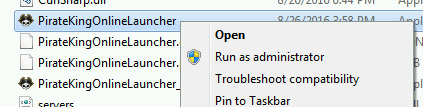
1. Locate PirateKingOnlineLauncher.exe and execute as Administrator. Right-Click on PirateKingOnlineLauncher.exe and click "Run as Administrator". PirateKingOnlineLauncher.exe is located in main client folder, or you may have a short cut to PirateKingOnlineLauncher.exe on desktop.

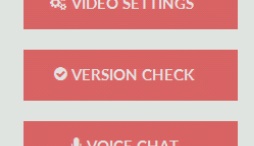
2. After the client launcher is launched, Begin Version Check by clicking on button at top left corner, Where a drop menu will appear with choice of "Version Check" in the top of list.

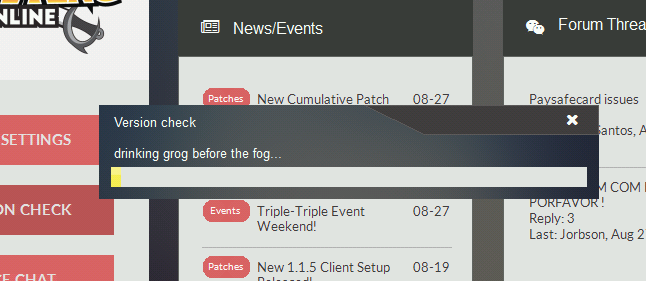
3. The launcher will automatically quickly scan your client files and begin to download any missing or malformed client files.


At this point, If you are still unable to play, It means that you have a service or program that is actively blocking the connection such as firewall or anti-virus.

1. Unfortunately because there is too many anti-virus and firewall solutions there is no easy way of turning them off, You will need to contact your antivirus/firewall company to ask them how to remove/stop.

2. In very rare condition, You may have a ISP that does internet filtering which means you most likely cannot play because ISP do not remove or allow you to circumvent this filtering.
 
Definitely not my firewall or anti-virus. Probably ISP - it was fine up until yesterday. Friggen uni ISP sucks ass. Thanks for the effort anyway
 
Pinging it from my wifi the request is timed out but if I hotspot off my phone, it works fine so yea, definitely the network. Tried off my friend's PC on the same network and same problem.
 
;) smart

Well my apologies for horrible ISP, it should be outlawed internationally in fact, one can only dream.
 
Pinging it from my wifi the request is timed out but if I hotspot off my phone, it works fine so yea, definitely the network. Tried off my friend's PC on the same network and same problem.

My problem is on the contrary, when I am using mobile hotspot.. it's hard for me to fetch the servers...however when I use wifi, it only take 1-2 search servers and done. I guess this ip6s is fucked up for not giving unreliable connection.:(
 
Its a paid VPN called PureVPN, it may not be the best for gaming but I've had good experiences with it in the past. Research first where their most servers are.

What does this vpn do? It made us accesed to particular region thus lowers the latency calculation?
 
What does this vpn do? It made us accesed to particular region thus lowers the latency calculation?

Not necessarily. The VPN connects you to a different server in another country/in your own country where your net traffic then passes through thus bypassing the blocking of certain ports such as in my case with uni ISP. It doesn't necessarily give better latency, in fact, its often worse (in my case its worse by around 20 ping). HOWEVER, good VPNs which are specialized for games like this can improve your latency by choosing a path with less impedance (in simple terms).
 
Not necessarily. The VPN connects you to a different server in another country/in your own country where your net traffic then passes through thus bypassing the blocking of certain ports such as in my case with uni ISP. It doesn't necessarily give better latency, in fact, its often worse (in my case its worse by around 20 ping). HOWEVER, good VPNs which are specialized for games like this can improve your latency by choosing a path with less impedance (in simple terms).

Now I get the whole picture about vpn. Thank you m8!
 
Top