What's new

texture tweaking

Menhir

New Member
Joined
Aug 2, 2018
Messages
10
Reaction score
10
Points
3
Age
41
Hello,
I'm new on the server and I would like to know if it is possible to edit the textures in the game folders?
I have tried, but nothing happened so i guess there is some data check when i launch the game preventing me to use my edited files?
I don't know, hope anyone can let me know how much you can tweak in this server.
thanks
 
u need decompile .tga textures before u edit it
 
yes,
I did that, and then I've opened the texture file and edited the texture.
I just can't see any change ingame after editing the texture, it still looks exactly the same.
 
Depend on thing you want to tweak. If you describe what you want, it help to found what you did wrong
 
yes, maybe i didn't explain myself clearly enough.

so i I want to tweak/edit the game textures found in the game's folders: "Tales of Pirates Online > textures"
> I want to make the ground pink in the "Tales of Pirates Online > textures > terrain" folder
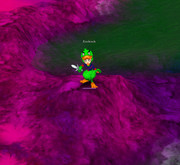
> I want to make my ami duck costume green in "Tales of Pirates Online > textures > character" folder
> I want to import a new lolipop weapon model and texture in "Tales of Pirates Online > model > item" and "Tales of Pirates Online > textures > item"

and to make things even more clear, here how I proceeded so far
> I've used an old little program to "decompile" the texture files so i can view/open them in photoshop
> I open my "Tales of Pirates Online > textures > terrain > brick01"
> I've changed the color mode from "indexed color" to "RGB color"
> I use a pink filter > my new ground looks pink!
> I switch back to "indexed color"
> I save my new brick01.bmp file in the "Tales of Pirates Online > textures > terrain"
> I run the game
> nothing changed, the ground is still a sad grey

and same result when I try to modify the character files and the item files
the file was edited and saved but I see no changes ingame.

I would like to know if it is possible to edit the textures in the game folders?
 
It possible to change textures/models, you did all right. At least in theory.
I see only one problem in your actions. Wrong root folder. This is 'Pirate King Online'.
Or you trying modify another client? Then possible few reasons:
  • That client on open check files and load right ones from server (version check)
  • That client have another root folder, like you run from shortcut
  • You modified wrong texture
  • Client you using read saved texture wrong
 
It possible to change textures/models, you did all right. At least in theory.
I see only one problem in your actions. Wrong root folder. This is 'Pirate King Online'.
Or you trying modify another client? Then possible few reasons:
  • That client on open check files and load right ones from server (version check)
  • That client have another root folder, like you run from shortcut
  • You modified wrong texture
  • Client you using read saved texture wrong

There could be one more reason. The texture is inside data.zip. In that case, priority is on the .zip archive.
 
Top